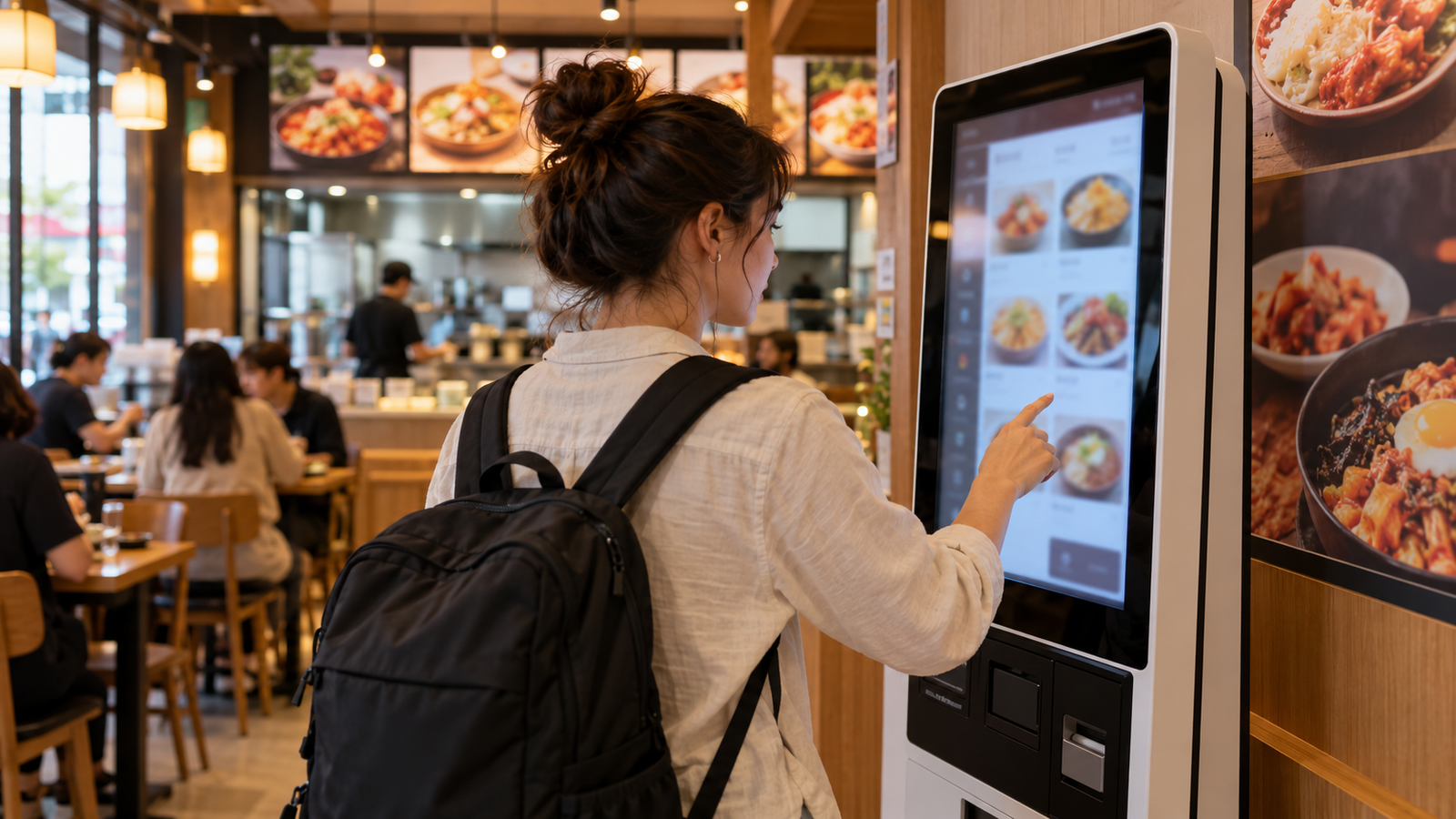
Self-order kiosks are common in Korean fast-food restaurants, food courts, cafés and casual chains. They save time, but the first screen can be confusing when the language button is small or the machine asks several questions before payment.
The exact layout varies by restaurant. Use the process below as a checklist rather than expecting every machine to look identical.
The whole process in one table
| Screen | What it may ask | What to check |
|---|---|---|
| Language | 한국어 / English / 日本語 / 中文 | Look at the top or bottom corner before choosing food |
| Order type | Dine in or takeout | For here is 매장; takeout is 포장 |
| Menu | Item, size, quantity and options | Check spicy level and required add-ons |
| Payment | Card, mobile payment or counter payment | Insert or tap only when the screen tells you |
| Receipt | Print receipt or order number | Keep the number until your food is collected |
1. Find the language button first
Before touching a menu category, scan the corners for English or a globe icon. Some kiosks return to Korean after a period of inactivity, so choose the language again if the screen resets. English translations can be brief; menu photos are useful, but they do not show every ingredient.
Local tip: If there is a line behind you, take a photo of the wall menu first and decide on one or two items away from the kiosk. You will spend less time searching through categories at the screen.
2. Choose dine-in or takeout
The machine may ask this before displaying the menu. Choose 매장 or “dine in” if you will eat inside. Choose 포장 or “takeout” if you want the order packed to go. Café kiosks may use “for here” and “to go.”
3. Build the order carefully
Select the main item, then review every required screen. A highlighted button can mean that an option is already selected. Look for quantity controls, set-menu upgrades, drink size, temperature, sauces and side dishes. At noodle or tteokbokki shops, a red chili symbol usually indicates heat but does not measure spice consistently between restaurants.
If you have a food allergy, do not rely on the kiosk translation alone. Ingredient and cross-contact information may be incomplete. Ask staff before paying, ideally with a translated allergy card that names the ingredient and explains the seriousness.
4. Review the cart before payment
Check the item count, sizes and total price. A kiosk may add a default side or suggest an upgrade on a separate screen; an offer is not always required. Use the back button if the total is different from what you expected.
5. Pay without rushing
Wait for the payment screen before inserting or tapping a card. The reader may be below the touchscreen rather than beside it. Follow the animation for chip, contactless or magnetic-stripe placement. If a foreign card is declined, try another card once, then ask whether you can pay at the counter. Repeated attempts can create confusion about whether an order was accepted.
Read our foreign credit cards in Korea guide for a practical backup plan.
6. Keep the receipt and watch the pickup screen
The receipt usually shows an order number. Listen for the number, watch the digital pickup board or check the counter. Some cafés use a vibrating pager instead. Do not leave the receipt in the machine until you know how the restaurant calls completed orders.
Useful words at a kiosk
| Korean | English | Practical meaning |
|---|---|---|
| 주문하기 | Order | Start the order |
| 매장 | Dine in | Eat inside |
| 포장 | Takeout | Pack the order to go |
| 장바구니 | Cart | Review selected items |
| 결제 | Payment | Move to checkout |
| 영수증 | Receipt | Printed order proof |
| 품절 | Sold out | Item is unavailable |
When to skip the kiosk and ask staff
- You need reliable allergy information.
- The kiosk shows payment completed but prints no order number.
- Your card was charged but the order disappeared.
- You need to remove an ingredient not listed as an option.
- The screen is frozen or the language button does not work.
A simple phrase to show staff
키오스크 주문을 도와주실 수 있나요?
“Could you help me order at the kiosk?”
Frequently asked questions
Do all Korean kiosks have English?
No. Many busy tourist-area and chain locations do, but small restaurants may offer Korean only. A camera-translation app is a useful backup.
Can I use cash?
It depends on the machine. Some are card-only, while others accept cash or direct you to the counter. Check the payment icons before completing the order.
Related food guides
If the kiosk does something unexpected
| What you see | Do this first |
|---|---|
| The screen returns to the start | Check whether the cart was cleared before rebuilding the order. |
| Your card was approved but no number appears | Do not pay again immediately. Show staff the approval screen or card notification. |
| The foreign card is refused | Try one backup card, then ask about counter payment instead of repeating the same transaction. |
| An ingredient cannot be removed | Stop before payment and ask staff. A kiosk option is not a reliable allergy check. |
How this guide was prepared: it describes the common flow used by Korean fast-food, café and casual-restaurant kiosks, while separating that shared process from restaurant-specific buttons and payment rules. Allergy information should always be confirmed with staff.
Last checked: October 1, 2026
Verification note: Kiosk layouts, payment options and language support vary by restaurant. Confirm allergy and payment questions with the venue.
Plan your next step: Ready to choose a meal? Our pork backbone soup guide shows how to handle the large bones with original photographs. For another sit-down option, read Korean BBQ ordering and grilling basics.