
You reach for your phone after leaving a Seoul subway train, and it is gone. The fastest useful response is not to visit random stations: first work out which train, line, direction and time you were on. Then contact the relevant station or operator while you protect the device and your accounts. This guide is for an ordinary lost-phone situation; if you believe a crime or immediate danger is involved, seek help from station staff or police promptly. It is a source-based procedure, not a claim that we personally recovered a phone using every step.
Image note: The featured phone scene is a conceptual AI-created illustration, not a photograph of a real loss or station.
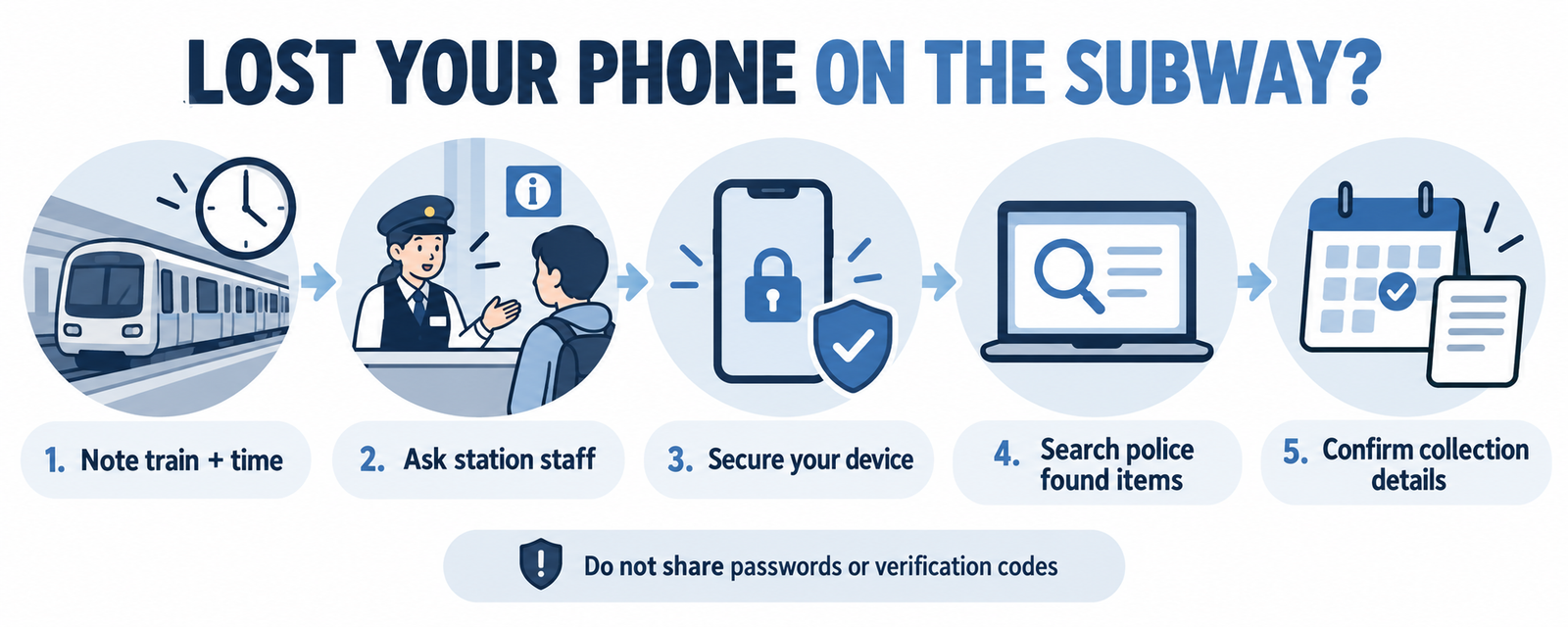
First 10 minutes: preserve the clues
- Stop moving if you can do so safely. Write down the line number or color, boarding and exit stations, travel direction, approximate departure and arrival time, and where you sat or stood.
- If you still have your ticket, card transaction, companion’s route history or travel photo, use it to narrow the time. Do not share account passwords or sensitive card details with a stranger.
- Ask the nearest station office to help contact the train crew or relevant lost-property team. A transfer may involve more than one operator; give the complete route, not just the station where you noticed the loss.
- Try calling your phone from a companion’s device. If it rings, let staff know your likely train location; do not chase a moving train or enter restricted areas.
If your phone is located remotely, treat the map as a clue, not proof that a particular person has it. Do not confront someone based only on a location dot. A device may be in a station office, on a later train or with a finder.
Which station or lost-and-found office should you contact?
| What you know | Best next contact | What to say |
|---|---|---|
| You just left the train | Nearest staffed station office | Line, direction, train time, boarding and exit stations, carriage position if known. |
| You know the operator or line | That operator’s lost-and-found channel | Device model, case, color, distinguishing mark and safe callback method. |
| Several lines or operators are possible | Start with station staff; use Visit Seoul’s operator directory | Give the complete sequence of transfers so staff can route the inquiry. |
| It has been longer, or a finder may have handed it to police | Check the official police lost-property process and ask at a police station if needed | Use a device description and proof of ownership; do not post unlock details publicly. |
Visit Seoul’s lost-and-found directory lists subway contacts by operating line. Seoul’s network is not one single lost-property office, so identify the operator before assuming a listed number covers your trip. Staff can help if you do not know the operator. Contact details and office hours can change; confirm on the official page at the time of loss.
Secure the phone without making recovery harder
On another trusted device, use the official account tools for your platform. Apple explains how to mark an iPhone as lost in Find My; Google explains steps to secure a lost Android device or Google account. If a remote lock is available, follow the platform instructions. Keep a record of the device’s identifying information, but do not publish your serial number, IMEI, one-time codes or login credentials in a public post.
If payment cards are stored on the phone, contact your bank or card issuer through its official app or number if you see suspicious activity or need a freeze. If your phone number is at risk, contact your mobile carrier about the SIM or eSIM. Be cautious of messages claiming your phone was found that ask you to remove it from your account or enter a password on an unfamiliar site. Never share a verification code with a caller.
How to describe and claim your phone
Prepare the model, color, case, wallpaper or another non-secret visual detail, approximate loss time, line and direction. Staff may ask for identity and proof of ownership when an item is collected. The exact process depends on who holds the item. If it is handed to police, the current police civil-service portal is minwon24.police.go.kr; the older LOST112 guidance for foreign visitors says that people without a Korean registration number may need to visit a police office. Ask staff about today’s procedure rather than assuming an online form will accept every traveler.
Keep one safe contact method available: a companion’s number, hotel desk or email you can access on another device. If you cannot make a local call, ask hotel or station staff to help you reach the appropriate office. For tourism-language help, Korea’s 1330 travel helpline may be useful, but it is not a substitute for the operator’s own lost-property process. Our broader lost-property guide for Korea covers other types of items and transport.
What not to do
- Do not travel to every subway lost-and-found office. Start with the line and operator that handled the likely train.
- Do not erase the device immediately without considering whether you still need location or identification features; follow your platform’s official guidance and assess account risk.
- Do not post a lock-screen passcode, full identity document or sensitive device identifiers in social-media groups.
- Do not assume that a phone shown at a location is safe to retrieve by yourself. Use staff or police when circumstances warrant.
- Do not rely on a third-party “recovery service” that asks for payment, account credentials or a verification code.
Frequently asked questions
What if I left it on the platform, not the train? Give staff the exact station, platform direction and approximate time. That is a different search from tracing a particular train.
What if I noticed it after transferring? Reconstruct each segment. The phone might be on a train from the earlier operator, not at the station where you discovered it was missing.
What if I do not speak Korean? Show staff a short written note with the line, direction and time. You can say 휴대전화를 잃어버렸어요 (“I lost my mobile phone”). Translation apps on another device can help, but confirm names and numbers visually.
Verification and official sources
Last checked: October 22, 2026. This is an editorial checklist based on official operator-directory and account-security guidance; individual recovery times, contact channels and claim requirements can change. The graphics above are clearly labeled conceptual illustrations, not first-hand evidence of a specific recovery.
Official sources: Visit Seoul: Lost and Found; Korean Police civil-service portal; Police LOST112 foreigner FAQ (legacy guidance; verify current process); Apple: if your iPhone is lost; Google: secure a lost device or account. Related: NAVER Map guide and Seoul city guide.